


I can't believe we are giving you a free trial
I can't believe we are giving you a free trial
Couldn't load pickup availability
"Pay Over [X] Months" options are not a subscription. They simply allow you to spread the course fee over fixed monthly payments. Once all payments are completed, there are no further charges, and you will continue to have full access to the course materials.
5.0 / 5.0
(20) 20 total reviews
I get it. You want to see if this course is worth the $499 price tag. Well - here you go.
Get FREE access to the first 7 lessons of the course - videos and Excel files - for 10 days.
No cost. No bank details required. No tricks.
Just the exact experience you'll get if you purchase this course.
The full course takes you through every step of how I build financial models from scratch - detailed forecasting, linking the balance sheet and cash flow, debt modelling, how to present it to a CEO/CFO. It’s practically the same model I build for all my deals.
I don’t know of any other courses like this.
Start the free trial TODAY - open your Excel and begin building a REAL model the exact way I do on REAL transactions.
Maybe I'm being too generous?


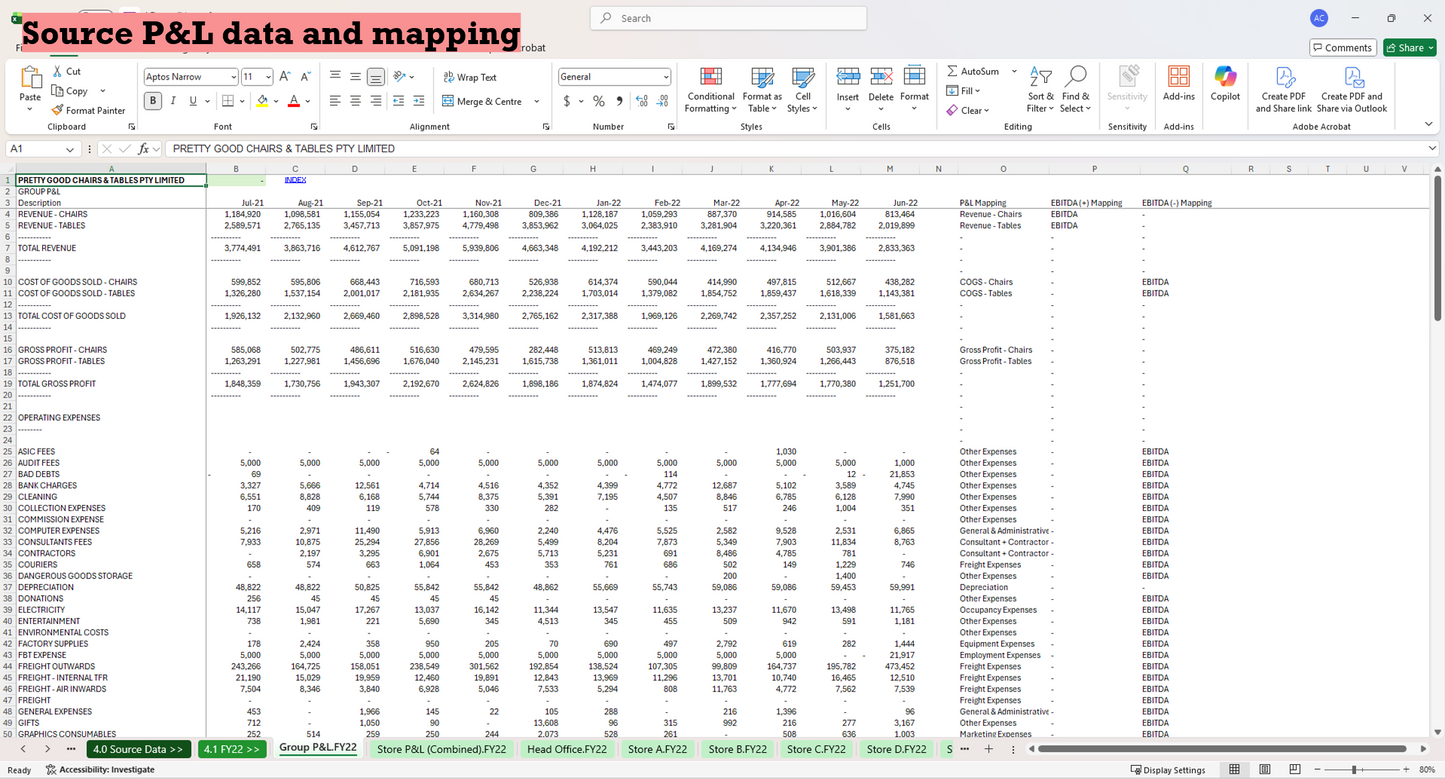
Here is a list of course lessons. So you can see what you'll be learning.
Module 1: Setting Up the Source Data
Introduction: Key modelling truths
1.1 Rename and bring tabs together
1.2 Create the flags and dates tab
1.3 Prepare P&L mapping
1.4 Create dynamic P&L mapping
1.5 Create summary P&L on every tab
1.6 Set up mapping to pull through the historical P&Ls
1.7 Using the indirect function
1.8 Replicating all other P&Ls
1.9 Finishing off the summary P&L
1.10 Create a summary Balance Sheet
1.11 Create a summary Cash Flow
Module 2: Forecast the Store P&Ls
2.1 Overview of store P&L forecast approach
2.2 Set up for revenue forecast
2.3 Create the annual revenue forecasts
2.4 Calculate seasonality
2.5 Calculate monthly forecast revenue
2.6 Calculate monthly forecast gross margin
2.7 Calculate monthly forecast expenses
2.8 Annualise store P&L
2.9 Finish summary forecast store P&L
Module 3: Forecast New Stores
3.1 Overview of new store forecast approach
3.2 Adding the model store
3.3 Setting the annualised assumptions
3.4 Setting the ramp up assumptions
3.5 Setting the dates and store flags
3.6 Calculating the P&L waterfalls
3.7 Creating the summary P&Ls
Module 4: Forecast Head Office
4.1 Setting the core head office forecast
4.2 Adding new head office staff
Module 5: Forecast (most of) the Balance Sheet
5.1 Overview of working capital cycle
5.2 Pull through potential drivers
5.3 Forecast trade receivables
5.4 Forecast inventory
5.5 Forecast fixed assets
5.6 Forecast (most of) the rest of the balance sheet
5.7 Fill out (most of) the summary balance sheet
Module 6: Forecast Debt and the Rest of the Balance Sheet
6.1 Get the summary store P&Ls ready
6.2 Get the group financials ready
6.3 Calculating income tax
6.4 Calculating retained earnings
6.5 Setting up debt assumptions
6.6 Calculating senior debt
6.7 Calculating the revolver
Module 7: Finishing Touches
7.1 Assessing the forecast
7.2 How to present assumptions
7.3 Adding summary tables
7.4 Building an EBITDA waterfall
7.5 Formatting the tabs
7.6 Creating an index tab
7.7 Updating another month of actuals
7.8 Final clean up
Bonus Materials
How to build a Discounted Cash Flow model
How to build a Leveraged Buy Out model
How to build a Merger model